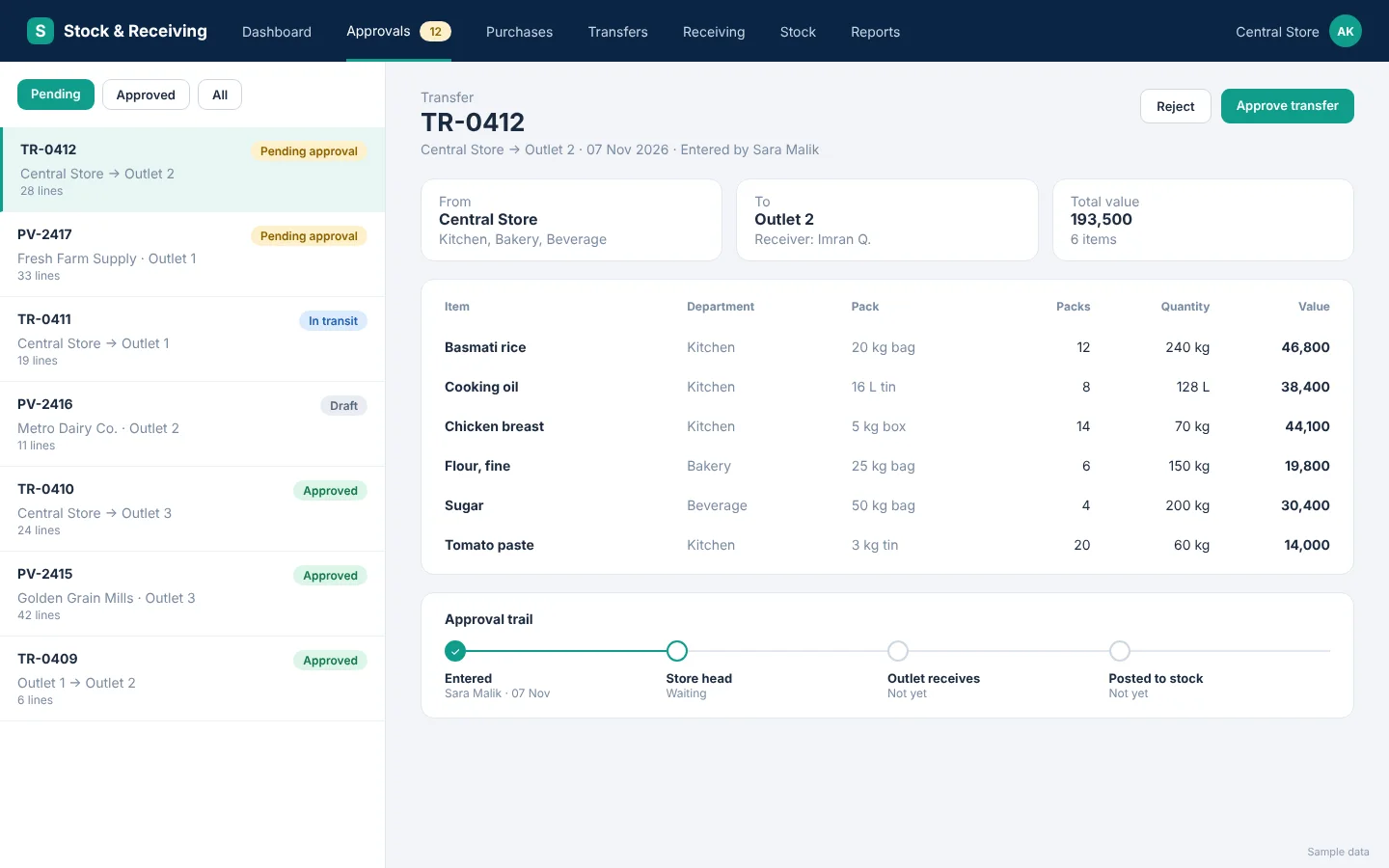
Stock and Receiving

Purchases, transfers and stock across every branch, with approvals and accounts built in.

Stock and Receiving is for businesses where a central store buys goods and sends them to branches or outlets: restaurant and food groups, retail chains, and any operation that tracks purchases, issues and receiving in separate spreadsheets.

It replaces those workbooks with one system. Every purchase, transfer and receipt belongs to a branch and a department, passes through the right approver and leaves a trail, so the store, the outlets and the accounts team all work from the same numbers.

What it does

Purchasing

Enter purchases the way they appear on the bill.

  • One bill per vendor invoice, with the branch on the bill and the department on each line, so a single bill can cover several departments.
  • Packs are defined once per item, for example a tin of 16 litres, so staff enter what is on the invoice and the system converts it to the stock unit.
  • A missing vendor or item can be added from a popup on the purchase screen, and it is flagged for review afterwards.
  • The rate is recorded against each ingredient on every purchase.

Transfers and receiving

Stock moves between branches with a clear hand-over.

  • Stock leaves the sending branch when the transfer is approved, and shows as in transit until the receiving branch confirms it.
  • A transfer line can come from any department of the sender and go to any department of the receiver.
  • A document cannot be sent without departments, so nothing arrives without an owner.
  • Outlets confirm what the store sent, and record their own direct market purchases, which post only after approval.

Approvals

Nothing posts until the right person approves it.

  • Multi-level approval for every document type. For example, the purchaser enters and the purchase head approves.
  • Approvers can be limited to one branch, selected branches or all of them, and to one department or all departments.
  • Documents move from draft to approved, and each one shows who entered it and who approved it.
  • Every document is listed branch-wise and department-wise.

Units and reports

Everyone reads the same numbers in the same units.

  • Each item has one fixed unit, taken automatically on every screen, so staff never pick a unit by mistake.
  • Quantities are kept in small units such as grams and millilitres, and reports show kilograms, litres and pieces.
  • Stock, purchase and consumption reports by branch and by department.

Consumption and accounts

Stock and money stay in step.

  • Daily sales can calculate the ingredients used, so stock falls as you sell.
  • Vendors, vouchers and double-entry accounts sit inside the system, and you can add your own voucher types.
  • Senior accountants approve and executives enter, with rights set for each user.

Who it is for

  • Restaurant and food groups with a central store and several outlets
  • Retail chains and distributors that move stock between branches
  • Businesses that run store and receiving on Excel today

How you get it

A web system. We host it for you, or install it on your own server.

We set it up around your branches, departments and people, load your opening data, train your team and keep supporting it. Need a change? We adapt the product to your process.

Want Stock and Receiving for your business?

Tell us how you work today and we will show how it fits. We reply within 12 hours.

WhatsApp